 pastecal
A free shared calendar, no sign-up
Here is how it works. You share it with a link, and nobody has to sign up or install anything.
Make a calendar in seconds
Click a day and type an event. Press Save & share and you have a link.
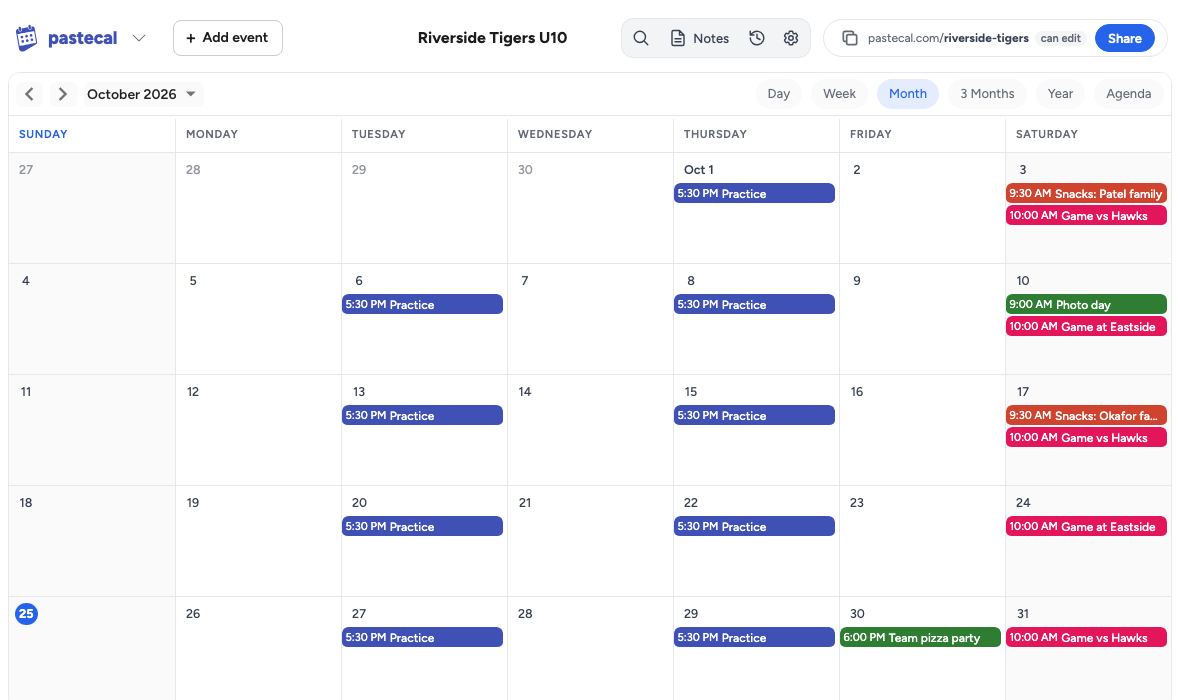 4:00 PM Picture day
Two links: one to edit, one to view
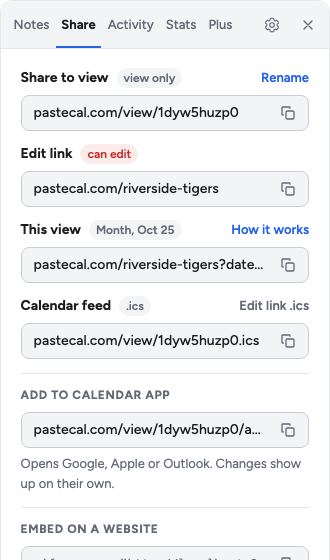
Anyone with the edit link can change the calendar. The view link is read-only, so you can post it anywhere.
Add it to Google Calendar, iPhone or Outlook
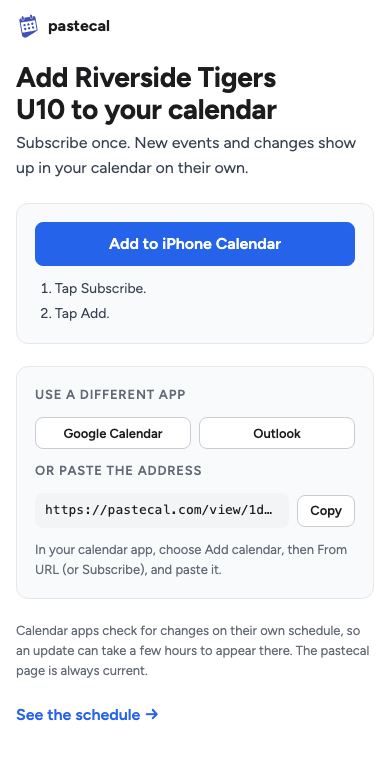
The view link has an Add to my calendar button. It opens a page that picks your calendar app, and changes show up there on their own.
To put it on your website, copy the embed code from Share.
Colors, notes and search
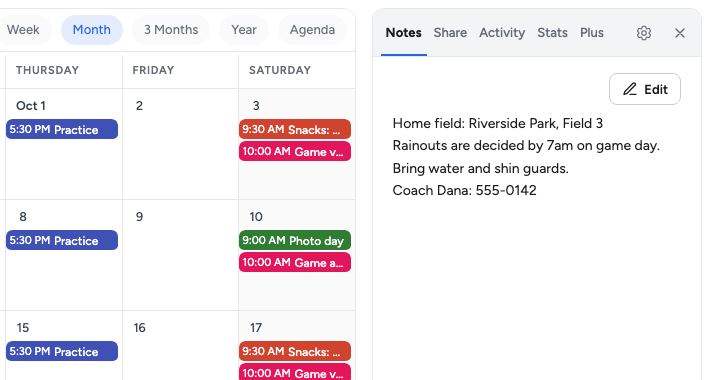
Give each kind of event its own color. Keep the field address and phone numbers in the notes beside the calendar, and search when you need to find something.
Lock it when you need to
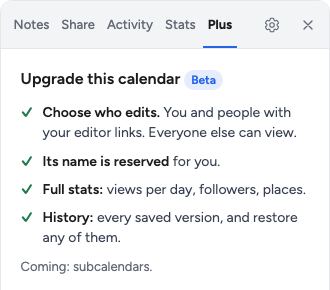
With Plus, only you and the people you choose can edit. Everyone else can still view it.
Also included
- Repeating events. Daily, weekly, every other week, monthly or yearly.
- Quick add. Press ⌘E (Ctrl+E on Windows) and type “Practice Tuesday 5pm”.
- Day, week, month, year and agenda views.
- Print. A clean page of the month, ready for the fridge.
- Undo and activity. See what changed and take any of it back.
- Daily backups. Every day the calendar changes.
- Dark mode, and your own first day of the week, time and date format.
What people use it for
Start from a template, or from a blank calendar.
Questions
Do people need an account?
No. Anyone with the link can open the calendar in a browser. There is nothing to install and no sign-up.
Is it free?
Yes. Free includes unlimited calendars and unlimited people. Plus adds locking, full stats and every saved version.
Can I add it to Google Calendar?
Yes. Open the view link and press Add to my calendar, or paste the calendar feed into Google Calendar, Apple Calendar or Outlook. Google refreshes it every few hours.
How do I stop people from editing?
Share the view link, which is read-only. Give the edit link only to the people who help run the calendar. With Plus, only you and the editors you choose can change it.
Can I put it on my website?
Yes. Share has an embed code. It shows the view-only calendar, so visitors can look but not edit.
What if someone deletes something by mistake?
Activity shows recent changes, and you can undo any of them. Calendars are also backed up every day they change.